The short answer
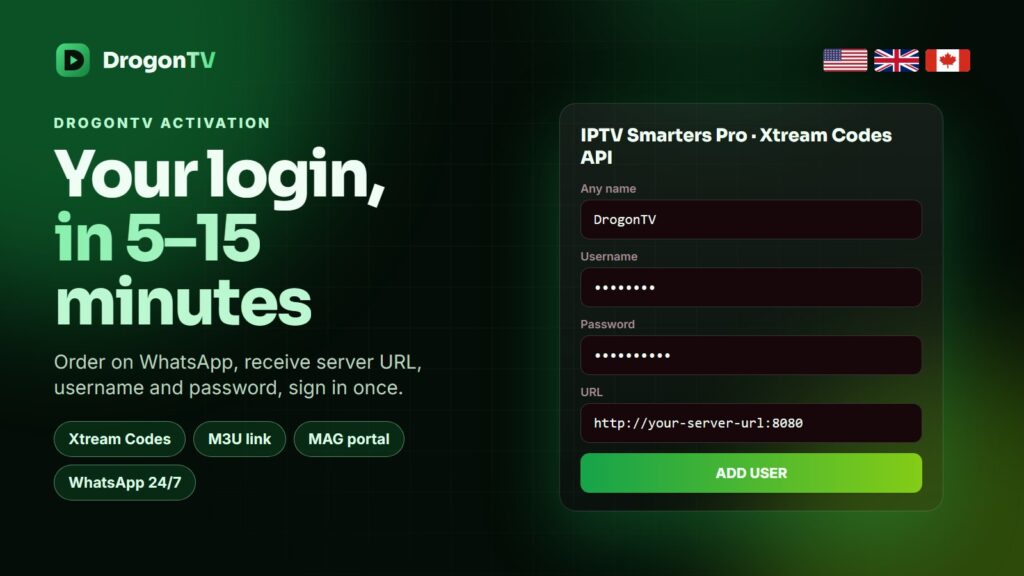
DrogonTV activation usually takes 5 to 15 minutes after payment. Your WhatsApp chat receives an Xtream Codes login (server URL, username, password), the same line as an M3U link, and a MAG portal URL. Use the Xtream login in your app.
From order to activation
| Step | What happens | Typical time |
|---|---|---|
| Order | You tap Order Now and send the WhatsApp message | 1 minute |
| Confirm | We confirm plan, device and total | A few minutes |
| Pay | Card, PayPal or crypto | 2 minutes |
| Activate | Login and setup guide arrive in the chat | 5 – 15 minutes |
Which login to use
- Xtream Codes in Smarters, TiviMate, IBO Player and most apps: faster loading and a filled TV guide.
- M3U link only for apps that take playlists alone, or VLC.
- Portal URL for MAG boxes and Formuler, tied to the box’s MAC address.
If activation seems slow
Busy evenings before big games can stretch the wait. Check the chat for a message asking for your device or MAC address — activation sometimes waits on that answer. Then simply reply in the same chat; there is no ticket to open.
Renewing
Plans never renew by themselves. When you renew, send your username and we extend the same line, so nothing needs to be set up again.
Frequently asked questions
Is there an activation code for DrogonTV?
No separate code: activation means your login details are sent and switched on. TV players that use a MAC address get the playlist attached instead.
Can I activate DrogonTV on a second device?
Yes, install the same login on as many devices as you like; one connection plays one stream at a time.
My login says expired.
Check the date in your message. If the plan should still be active, send us the username and we check it.
Can I change my password?
Yes, ask support for new details; the old ones stop working immediately.
Ready to activate?
Choose a plan and your DrogonTV login follows within minutes.